Assets
Aircraft identity and component categories establish the context for the documentary history.
Platform
Organize daily records around the airline’s work and connect the documentary history with the requirements of delivery and return.
Request a demonstrationRecordsKeep combines aircraft identity, access, folders, search, document activity and text recognition in the airline’s records environment. The operational structure supports the people who need to consult maintenance documentation every day.
The same continuing history also supports documentary review and preparation for aircraft transitions. Explore the seven capabilities, then the mapping and review model designed to connect operational records with ABC evidence categories, open items and packages. Configuration and release status are identified where additional implementation is required.
Aircraft identity and component categories establish the context for the documentary history.
Preparation, organization, search and activity connect the records with their continuing use.
User profiles and a permissions matrix organize the configuration of document access by asset.
01 ASSET ADMINISTRATION
Establish the asset identity before working with its records.
AssetDeck presents the asset administration capabilities of RecordsKeep. In the application, Asset Management provides New Asset and Edit Asset entry points. The Airplane form brings aircraft identity and descriptive information together, with MSN and Registration marked as required fields.
Manufacturer, Family, Type, Model and date fields add context to the aircraft profile. The administration interface also presents tabs for Engines, Landing Gear, APU and Propeller. These entry points place the aircraft within the wider asset categories used by the records environment.
ASSET CATEGORIES
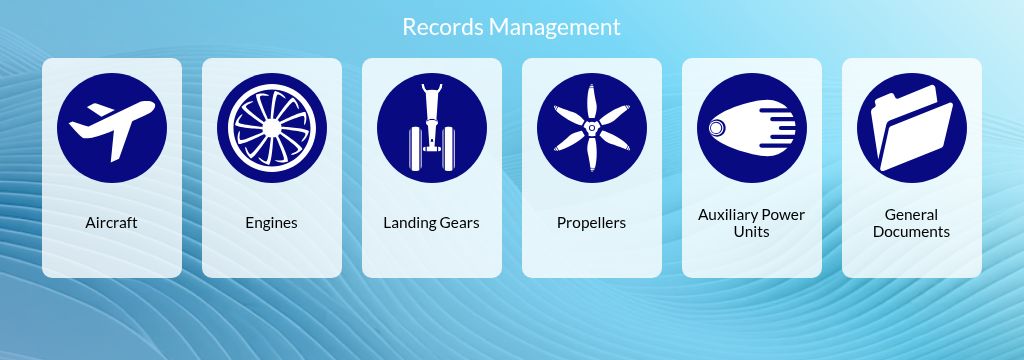
The category selector provides entry points for aircraft, engines, landing gears, propellers, APU and general documents.
AIRCRAFT DATA
The Airplane form combines MSN and registration with dates, manufacturer, family, type and model.
MSN and registration establish a stable identifying reference for the aircraft’s documentary baseline. That identity connects the records consulted during operation with the history reviewed for delivery or return.
Bring manufacturer, family, type, model and date information into the profile. These attributes describe the aircraft represented by the documentary collection.
Aircraft and component administration appear within the same asset management area. The available tabs provide distinct entry points for the categories represented in the system.
02 USERS AND DOCUMENT PERMISSIONS
Configure the users and asset access that belong to your records operation.
User Management brings user profiles and document permissions into one administration area. New User provides Name and E-mail fields, the User and Auditor type options and the Indexing Functions indicator. Edit Users provides the entry point for reviewing an existing user’s configuration.
The permissions matrix is organized by asset and includes Show, Edit, Upload and All controls. General Documents has its own access settings. This structure makes the intended document access visible in the administration interface and provides a practical basis for reviewing the configuration. The access configuration can be reviewed for the operational users and authorized participants in an aircraft records project.
USER PROFILE
New User groups name, email, user type and Indexing Functions in one form.
ASSET PERMISSIONS
The permission matrix presents Show, Edit, Upload and All for individual assets and General Documents.
Identify the user by name and email and review the available profile type. The current creation form presents User and Auditor as distinct choices.
Review permission settings across aircraft, engines, APUs and landing gear, alongside General Documents and the Propeller section. The matrix keeps access configuration related to the asset context.
Show, Edit, Upload and All distinguish the controls offered for document access. Review the relevant settings in a demonstration using the profiles intended for the operation.
03 DOCUMENT LOCATION
Choose file-name or content criteria within a selected records context.
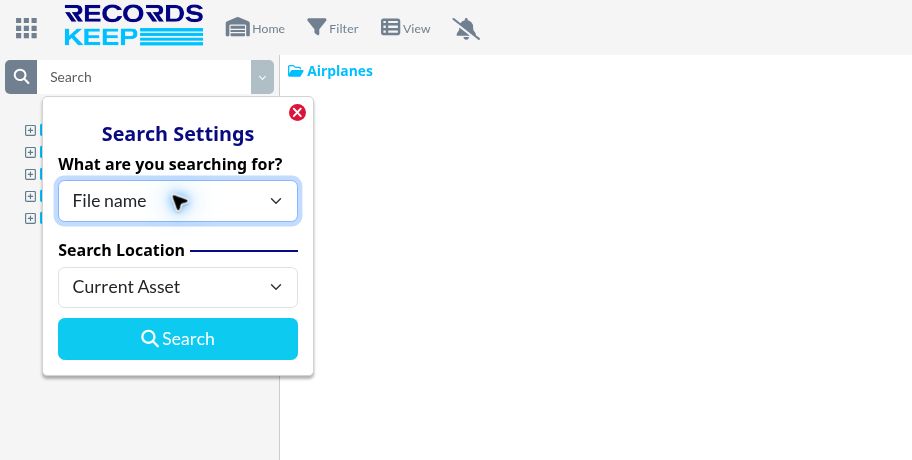
RecordsSearch brings search mode and search location together in Search Settings. File name, File content and File name & File content provide different ways to form a query. The location selector presents Current Asset, Current Directory, Category and Full Account.
Aircraft identity and documentary references guide both everyday queries and the search for evidence during a review. File names address the identity assigned to a document; content queries use the text available for search. The query can start with a maintenance reference or a document needed for the next aircraft project.
SEARCH CRITERIA
Search Settings offers File name, File content and a combined mode to define the query criterion.
SEARCH LOCATION
The location selector offers Current Asset, Current Directory, Category and Full Account.
Use file-name queries when a recognizable name is available. File content and the combined mode provide options for consulting indexed document text. Match the query to the information needed from the records.
Set the location for the query, from the current directory or asset to the category or account options shown in Search Settings. Review the relevant context with the intended collection.
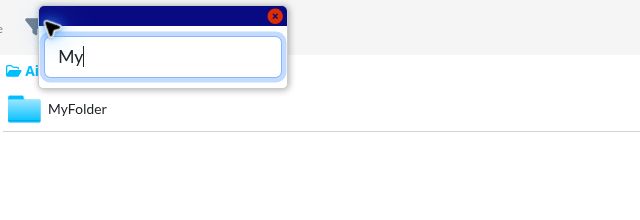
The local name filter reduces the files and folders visible in the current directory. It complements RecordsSearch when the relevant folder is already open.
04 DOCUMENT ACTIVITY
Read document events with the asset, file, actor and time in view.
Event Manager brings document activity into a dedicated panel accessed from Notifications. Event entries display context such as the asset, actor, action, file name, location and date or time. These details place a document event within the records environment where it occurred.
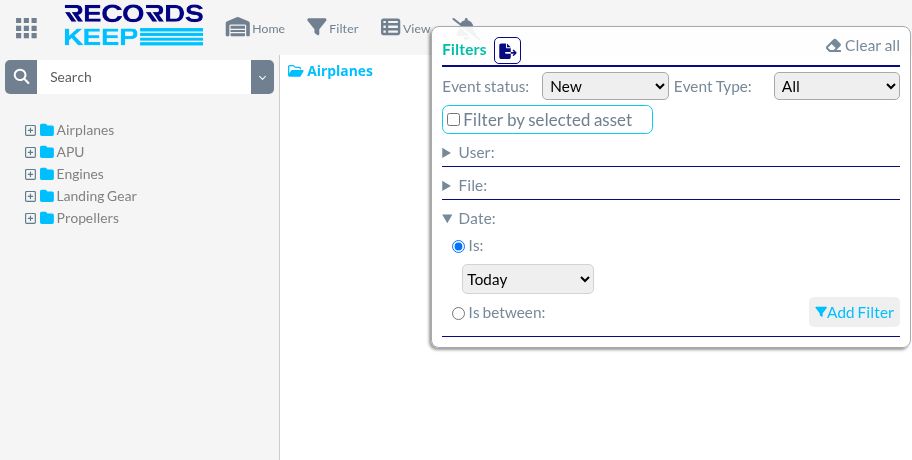
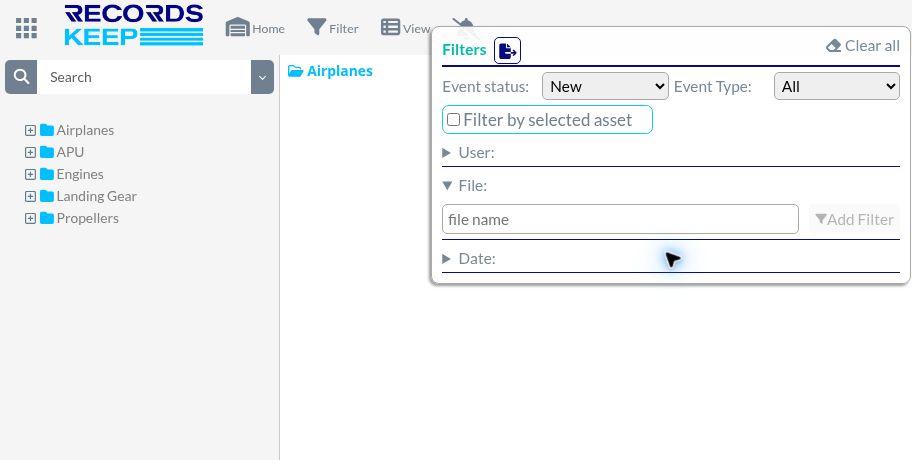
Filter Notifications provides controls for event status and type, the selected asset, user, file and date. The available controls offer several ways to frame an activity query, from a particular file to a period or a user associated with the records work. Documentary observations and their resolution belong to the review process and Open Items List; the event panel provides the context of actions performed on files.
STATUS, ACTION + DATE
Event entries include asset, actor, action, file, location and date. Status and date controls frame the review.
FILE + USER
The File section provides a file name field. The User section includes a user selector and Add Filter.
Read the document action alongside its asset and file references. Location and date information provide context for the event shown in the panel.
New, Read and All organize the status options. The action selector lists entries including uploaded, moved, copied, renamed, recycled, restored and deleted.
User and File sections provide selectors or fields with Add Filter controls. Date provides preset periods and a range option, alongside filtering by the selected asset.
05 DOCUMENT TEXT
Make document text part of the search pathway.
OCR connects scanned document text with indexing and content search. The user documentation and demonstrated search workflow relate the uploaded record, its available text and the query used to find supporting information.
Document-specific fields add another layer of reference: dates, AD or engineering-order identifiers, part numbers and serial numbers may be relevant to the agreed record types. Extraction and routing require configuration and validation with representative documents. Recognition, field interpretation and the documentary review each have a distinct purpose.
TEXT RECOGNITION
The documented OCR workflow applies text recognition to uploaded documents for indexing.
INDEXING + DOCUMENT REFERENCES
Text indexing supports content search. Document fields such as P/N, S/N, AD and work-order references are defined and assessed by document type for the agreed workflow.
Upload Folder connects incorporation of documents with the documented text-processing pathway. The source quality and record types guide the representative processing review.
Recognition prepares document text for indexing and subsequent search. The result supports consultation of textual content within the records environment.
Use the available indexed text for document queries. Evaluate the required record types and field references in a representative demonstration before relying on a configured processing result.
06 THE AIRCRAFT WORKSPACE
An aircraft workspace built around the airline’s daily documentary work.
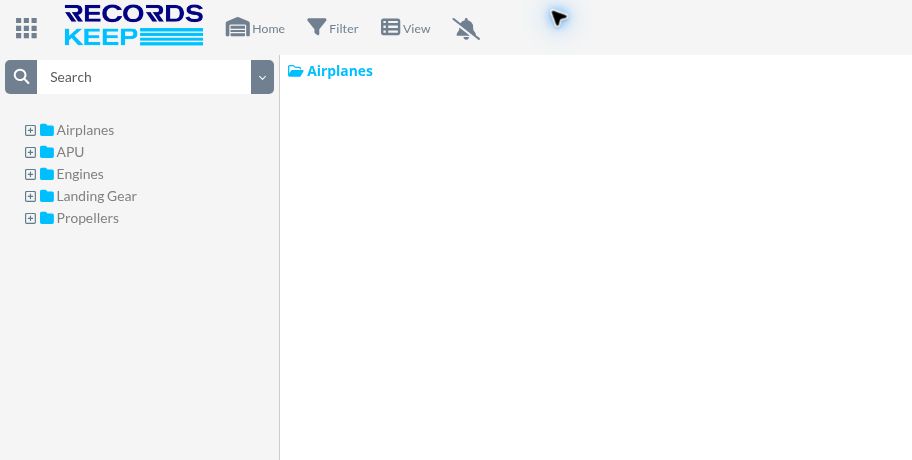
RecordsCenter gives the aircraft’s records an operational workspace. Selecting an aircraft opens its document context in Explorer, with a folder tree and breadcrumb that show the current location. The airline’s working folders and conventions provide the starting organization for daily consultation.
Row and tile views, local filtering, New Folder, Upload Folder and drag-and-drop controls support work with that collection. As incoming documents extend the operating history, the records also contribute evidence for agreed reviews and transition preparation. The mapping workflow connecting operational folders and ABC project views is described separately below, with its validation status.
WORKSPACE BY AIRCRAFT
Browse folders with the breadcrumb and folder tree. The aircraft workspace also provides Upload Folder and drag-and-drop controls.
CURRENT-VIEW FILTER
Filter file and folder names within the open view, independently of Search Settings.
In validation · 17 Nov 2026
Keep the airline’s daily folder conventions while preparing an ABC project view. Customer enablement and the configured mapping cases are under validation.
Keep the selected aircraft and its operational folders visible. The structure serves Planning, Maintenance and Technical Records in the way they use the documentation.
Use folders to follow the collection’s structure and switch between row and tile presentations. Narrow the current list with the local name filter when a recognizable file or folder name is available.
New Folder and Upload Folder provide the visible organization and upload controls. The drag-and-drop area offers another entry point for bringing documents into the workspace.
07 THE DOCUMENTARY STRUCTURE
Give the continuing history a structure for delivery and return evidence.
ABC Folder organizes the available history around the evidence categories of the aircraft project. It complements the operational perspective used in daily work. Naming, indexation and aircraft references help relate individual records to their place in the wider history.
Within the agreed documentary service, the structure supports review against return requirements, follow-up of evidence gaps and the Open Items List. Organized evidence, indexes, status and binder preparation bring that continuing work into the review package. The parties retain the technical and contractual decisions required for aircraft acceptance.
ASSET HISTORY
ABC Folder build-up organizes documentation around the asset and its maintenance history.
DOCUMENT IDENTIFICATION
File names and index information help identify records within the asset’s documentation.
RECORDS CONTINUITY
Organized daily records are the foundation of the asset’s documentary history. Continuing review connects that history with the requirements of a future return.
DELIVERY + REDELIVERY
Relate agreed return requirements to available evidence. Documentary review and Open Items List (OIL) follow-up support an indexed binder and the review of remaining items.
Organize the available evidence using the categories and return requirements approved for the aircraft review.
Maintain the documentary observations, gaps, comments and responses that require follow-up within the agreed service.
Prepare the selected evidence, supporting indexes and status for the binder or documentary handover.
IN VALIDATION · 17 NOVEMBER 2026
A mapping and project workflow designed to connect the airline’s operating folders with the evidence structure of an aircraft transition.
The operational structure and the ABC project perspective answer different questions about the same documentary history. Configured relationships identify which working folders contribute to a project’s evidence categories. The intended model preserves the airline’s operational organization while presenting the records in the context of the transition.
Folder mapping and project enablement are in validation as of 17 November 2026. The review includes subfolder treatment, the intended account configuration and representative aircraft records. Scope and availability are confirmed before activation.
Define the relationship between the folders used during operation and the evidence categories selected for a project. Validate the treatment of the relevant files and subfolders.
Connect aircraft and document references with the requirement being reviewed. An observation, comment and supporting evidence give an open item its documentary context.
Event Manager describes actions on files. The review process and OIL follow documentary observations, responses and closure; their purpose remains distinct.
ADD AVIATION INFRASTRUCTURE
Structure, aviation references and documentary continuity connect today’s work with the next transition.
Aircraft identity, document references and approved maintenance information connect the records with the asset and the questions under review.
Operational conventions guide daily consultation. ABC categories and the agreed review scope organize the evidence needed for aircraft projects.
Intake, source reconciliation, access, activity and documentary follow-up give the record flow a defined process, with handover outputs agreed for the intended use.
PLANNED · REQUIRES AGREED IMPLEMENTATION
These workflows require a defined scope, validation and acceptance before release.
The enterprise development plan separates existing documentary capabilities from additional controls. A project defines the source material, requirements, representative tests and acceptance basis for each selected development.
Preservation of current and superseded versions, replacement reasons and prior evidence is an implementation development. It is distinct from the existing document activity log.
An exception inbox, agreed rule checks and related reporting require configured sources and validated outputs. Approved technical reference lists and documentary review outcomes remain separate.
Maintenance Reserve evidence, gaps, package preparation and review status may form a separately agreed scope. The complete workflow requires configuration or development and acceptance before use.
IMPLEMENTATION REQUIREMENTS
The implementation review brings the platform together with the airline’s data, access and operating requirements.
Hosting, data location and the supporting technical information form part of the IT review for the intended use.
The proposed users, asset access and document actions guide the review of the available profile and permission settings.
Backup, recovery, records delivery and support requirements are reviewed as part of the implementation and service arrangements.
Asset identity, permissions, folders, search and activity provide the daily records environment. OCR and document organization support the usable history. ABC Folder and the agreed review scope relate that history to aircraft evidence and transition requirements. The additional mapping and project workflow is in validation.
The mapping and project workflow is in validation. Its account enablement, folder relationships and representative record behavior are confirmed as part of the intended implementation before activation.
Event Manager provides context for actions performed on files. The Open Items List follows documentary observations, evidence gaps, comments, responses and closure within the agreed review process.
Start with an aircraft, its operational structure and a daily records question. Then review the documentary preparation needed for a transition, the available evidence and open items, and the configuration and validation status of any additional technology selected for the project.
Your records operation
Follow a representative aircraft record from its working context to the documentary questions of its next project.
CONNECT WITH RECORDSKEEP
Start with your operational structure, incoming records and next delivery or redelivery. Define a documentary workflow that connects the fleet’s daily needs with its transition requirements.
ADD AVIATION
RecordsKeep is part of ADD Aviation. Aviation experience, specialist knowledge and proprietary technology connect daily records management with the documentary preparation of aircraft transitions.