Your airline’s working structure
Organize records around the folders, names and references your operation needs. Planning and Maintenance can work in their operational context while the history continues to develop.
DAILY OPERATION. CONTINUING PREPARATION.
An airline’s records need to work for Planning, Maintenance and Technical Records every day. RecordsKeep starts with that operational organization: the aircraft, naming conventions and document structure that support the way the airline works.
As records are incorporated, that working collection also builds the aircraft’s documentary history. Continuing preparation connects available evidence, review requirements and open items with the work needed for delivery, lease transitions and redelivery.
Explore this serviceAVIATION RECORDS INFRASTRUCTURE
RecordsKeep supports the airline’s daily way of working while building the documentary history used for aircraft delivery and redelivery.
Give each aircraft and component a clear identity in the records environment.
Explore this areaConfigure users and access to the records of each asset.
Explore this areaChoose search criteria for everyday queries and aircraft reviews.
Explore this areaReview file activity in its aircraft, user and date context.
Explore this areaConnect recognized text, document references and content search.
Explore this areaOrganize daily records around the airline’s working conventions.
Explore this areaBuild the asset history and prepare its documentary transition.
Explore this areaONE HISTORY. TWO OPERATIONAL PERSPECTIVES.
The daily working structure and the preparation for an aircraft transition serve different tasks within the same documentary history.
Organize records around the folders, names and references your operation needs. Planning and Maintenance can work in their operational context while the history continues to develop.
Connect the existing archive with new maintenance documentation. Identified records and a consistent asset context give each incoming collection a place in the history.
Review the available documentation against the agreed return requirements. Keep gaps, comments and follow-up visible as the evidence and eventual handover package are prepared.
01 ASSET MANAGEMENT
Give each aircraft and component a defined identity, connecting daily records with the asset history used throughout its service life.
ASSET CATEGORIES
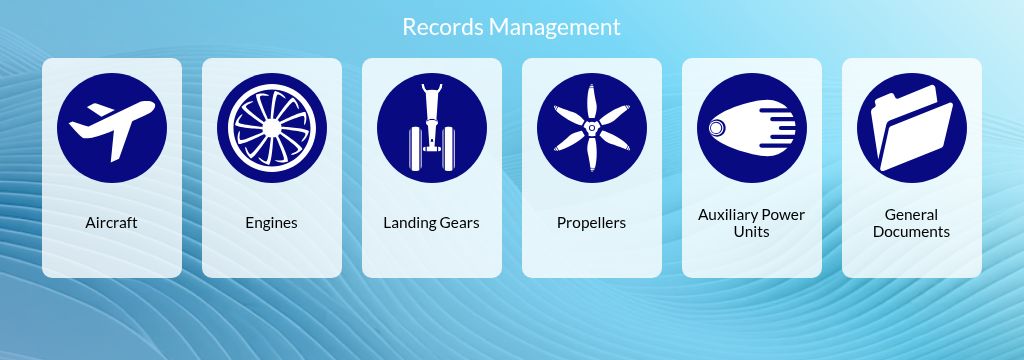
The category selector provides entry points for aircraft, engines, landing gears, propellers, APU and general documents.
AIRCRAFT DATA
The Airplane form combines MSN and registration with dates, manufacturer, family, type and model.
Aircraft, engines, landing gears, propellers and APU have distinct categories, alongside General Documents.
MSN and registration identify the aircraft in the Airplane form, giving its records an asset reference.
Dates, manufacturer, family, type and model describe the aircraft whose documentary history is being maintained.
02 USER ACCESS
Organize user profiles and permissions by asset for the teams that work with the aircraft’s documentation.
USER PROFILE
New User groups name, email, user type and Indexing Functions in one form.
ASSET PERMISSIONS
The permission matrix presents Show, Edit, Upload and All for individual assets and General Documents.
Name and email identify the user profile in the New User form.
The New User form offers User and Auditor in the user-type selector.
The permission matrix separates Show, Edit and Upload, with an All control and a General Documents section.
03 DOCUMENT SEARCH
Choose the search criterion and records context for a daily technical question or an aircraft’s documentary review.
SEARCH CRITERIA
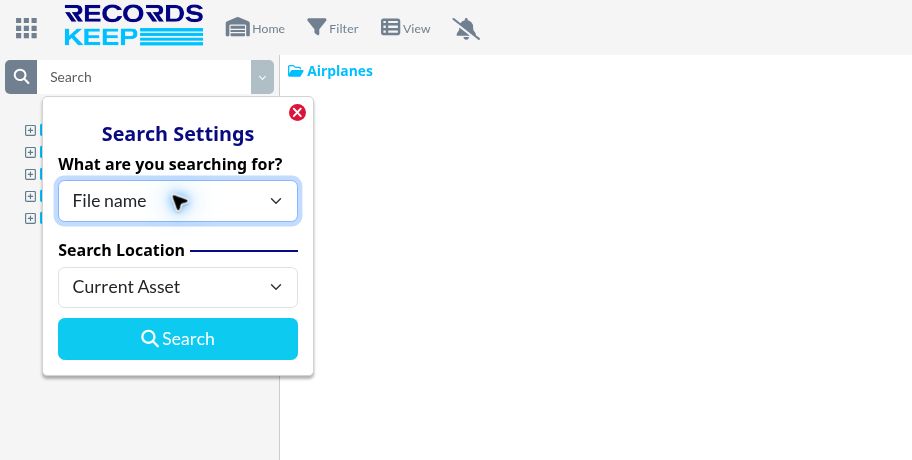
Search Settings offers File name, File content and a combined mode to define the query criterion.
SEARCH LOCATION
The location selector offers Current Asset, Current Directory, Category and Full Account.
Choose File name when the document name provides the starting point for the query.
File content and the combined mode offer another criterion when the reference is within the document.
Use Current Asset or Current Directory for a focused context, or choose Category or Full Account from the location options.
04 DOCUMENT ACTIVITY
Follow document activity with the aircraft, user, action, file, location and date kept in context.
STATUS, ACTION + DATE
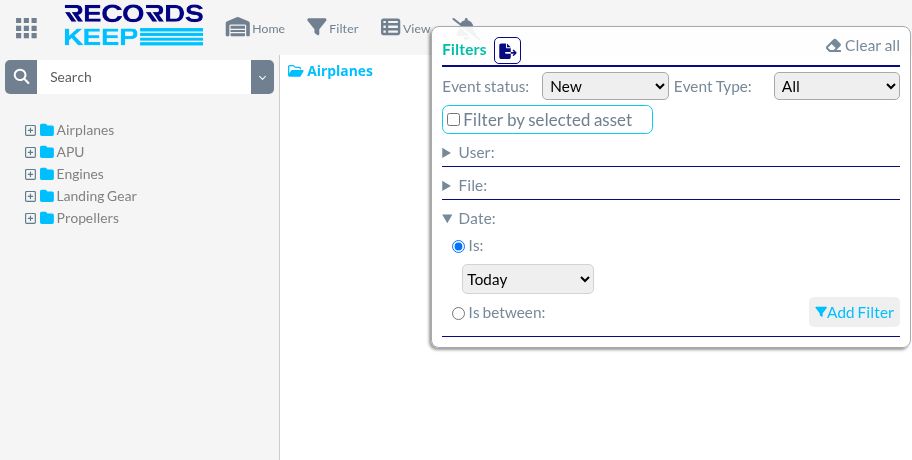
Event entries include asset, actor, action, file, location and date. Status and date controls frame the review.
FILE + USER
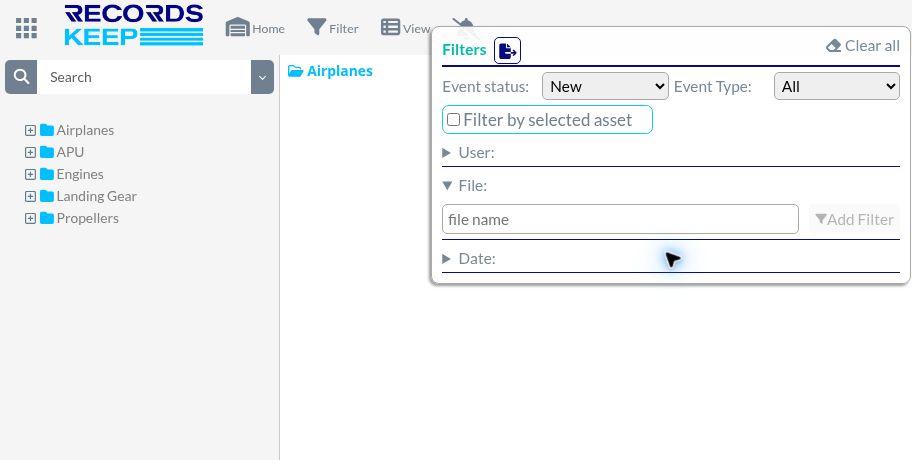
The File section provides a file name field. The User section includes a user selector and Add Filter.
Event entries show the asset, actor, action, file, location and date.
Status, action and date controls help define the activity to review.
File-name and user selectors provide additional filtering criteria.
05 TEXT RECOGNITION
Connect scanned text with content search and the document references needed to organize an aircraft’s records.
TEXT RECOGNITION
The documented OCR workflow applies text recognition to uploaded documents for indexing.
INDEXING + DOCUMENT REFERENCES
Text indexing supports content search. Document fields such as P/N, S/N, AD and work-order references are defined and assessed by document type for the agreed workflow.
OCR turns text within scanned documents into material for indexing and content search.
Text indexing gives the document another search reference alongside its file name and folder context.
Agree P/N, S/N, AD and work-order fields by document type. Assess extraction with representative records before configuring the workflow.
06 ASSET RECORDS WORKSPACE
Work in a structure that reflects the airline’s daily operation, with the aircraft’s organized history as the basis for its next transition.
WORKSPACE BY AIRCRAFT
Browse folders with the breadcrumb and folder tree. The aircraft workspace also provides Upload Folder and drag-and-drop controls.
CURRENT-VIEW FILTER
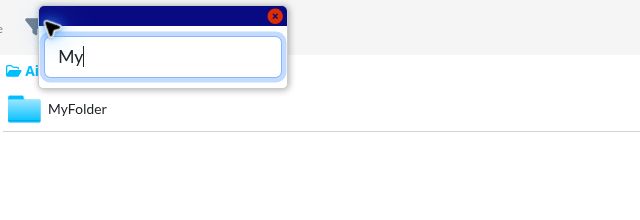
Filter file and folder names within the open view, independently of Search Settings.
In validation · 17 Nov 2026
Keep the airline’s daily folder conventions while preparing an ABC project view. Customer enablement and the configured mapping cases are under validation.
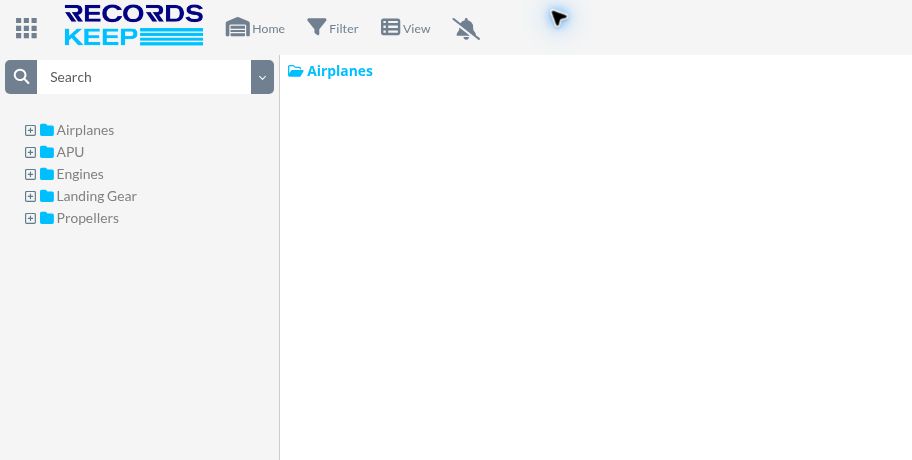
Use the folder tree and breadcrumb to work within the aircraft’s document structure.
Switch between rows and tiles, and filter file and folder names in the open view.
Upload Folder and drag-and-drop controls provide entry points for documentation as the record set develops.
07 DOCUMENT STRUCTURE
Build the aircraft’s documentary history throughout its operation, with continuing preparation for delivery and redelivery.
ASSET HISTORY
ABC Folder build-up organizes documentation around the asset and its maintenance history.
DOCUMENT IDENTIFICATION
File names and index information help identify records within the asset’s documentation.
RECORDS CONTINUITY
Organized daily records are the foundation of the asset’s documentary history. Continuing review connects that history with the requirements of a future return.
DELIVERY + REDELIVERY
Relate agreed return requirements to available evidence. Documentary review and Open Items List (OIL) follow-up support an indexed binder and the review of remaining items.
Organize maintenance documentation around the aircraft and the history it supports.
Relate available documentation to the agreed requirements of the delivery or return review.
Documentary review, open items and indexed packages support preparation throughout the transition.
Original interface views are shown in English with customer records excluded. Conceptual diagrams explain workflows; status labels identify capabilities still in validation.
ADD AVIATION INFRASTRUCTURE
RecordsKeep brings documentary structure, aviation context and continuity into one system for the airline’s working history.
Names, indexes and asset folders make the collection recognizable for daily use. ABC organization relates that history to the evidence needed for aircraft reviews and transitions.
Explore the detailsThe aircraft, document references and maintenance information give each record meaning. Agreed requirements guide the documentary review and the questions that need follow-up.
Explore the detailsCurrent records and historical incorporation follow a continuing documentary process. Structured access, review and organized packages keep the information useful throughout operation and into the next transition.
Explore the detailsCONTINUITY THROUGH THE AIRCRAFT LIFECYCLE
Four connected stages link the daily record flow with the documentary needs of the next aircraft project.
Identify the aircraft, available sources and working conventions. Bring the applicable delivery or return requirements into the documentary scope.
Incorporate incoming documentation through digitization, naming, indexation and the aircraft’s established organization. Historical incorporation can progress alongside current records.
Examine the available records within the agreed review scope. Track gaps, observations, responses and responsibilities through the Open Items List.
Organize evidence, indexes and status for the aircraft project. Maintain requests, comments and documentary closure as the parties review the package.
FOR AIRLINE TEAMS
Keep everyday technical questions and future transition requirements connected to the aircraft’s records.
Maintain the incoming flow, identification and organization of records. Keep the working collection and the history used for documentary reviews connected.
Explore the detailsFind the documentation needed for daily technical work in an aircraft structure that follows the airline’s operating conventions.
Explore the detailsRelate the available history to delivery and return requirements. Follow documentary gaps, open items and the preparation of review packages.
Explore the detailsDefine access by asset for the teams using the records, organize the information environment and establish the continuity requirements that support everyday use and future handover.
Explore the detailsThe documentation generated during operation builds the aircraft’s history. Within the agreed service, RecordsKeep combines its continuing organization with review of return requirements, available evidence and open items. The documentary preparation develops during the operating cycle and provides a basis for the final review package.
The airline’s working conventions are the starting point. Operational folders and ABC evidence categories serve different purposes. The mapping and project workflow designed to connect those perspectives is in validation; its configuration and account availability are confirmed before activation.
It means organizing the available history, reviewing it against the agreed documentary requirements and maintaining evidence, gaps and follow-up as records evolve. Aircraft acceptance depends on the applicable requirements and the parties’ review. Engineering and operational decisions remain with the authorized airline representatives; contractual decisions remain with the authorized parties.
The implementation can separate incoming records from historical incorporation. A baseline, representative pilot and agreed sequence guide the archive work, while current documentation follows its own intake flow. Availability and acceptance are reviewed by aircraft or batch according to the agreed plan.
Aircraft identity, folders, permissions, search and document activity give the records a working context. OCR supports consultation of document text. Configured fields, mapping and review workflows extend that context according to their implementation and validation status; a demonstration can follow the representative records and tasks of the airline.
CONNECT WITH RECORDSKEEP
Start with your operational structure, incoming records and next delivery or redelivery. Define a documentary workflow that connects the fleet’s daily needs with its transition requirements.
ADD AVIATION
RecordsKeep is part of ADD Aviation. Aviation experience, specialist knowledge and proprietary technology connect daily records management with the documentary preparation of aircraft transitions.